
Home / News / Google Native Checkout in AI Mode Explained
Google Native Checkout in AI Mode Explained
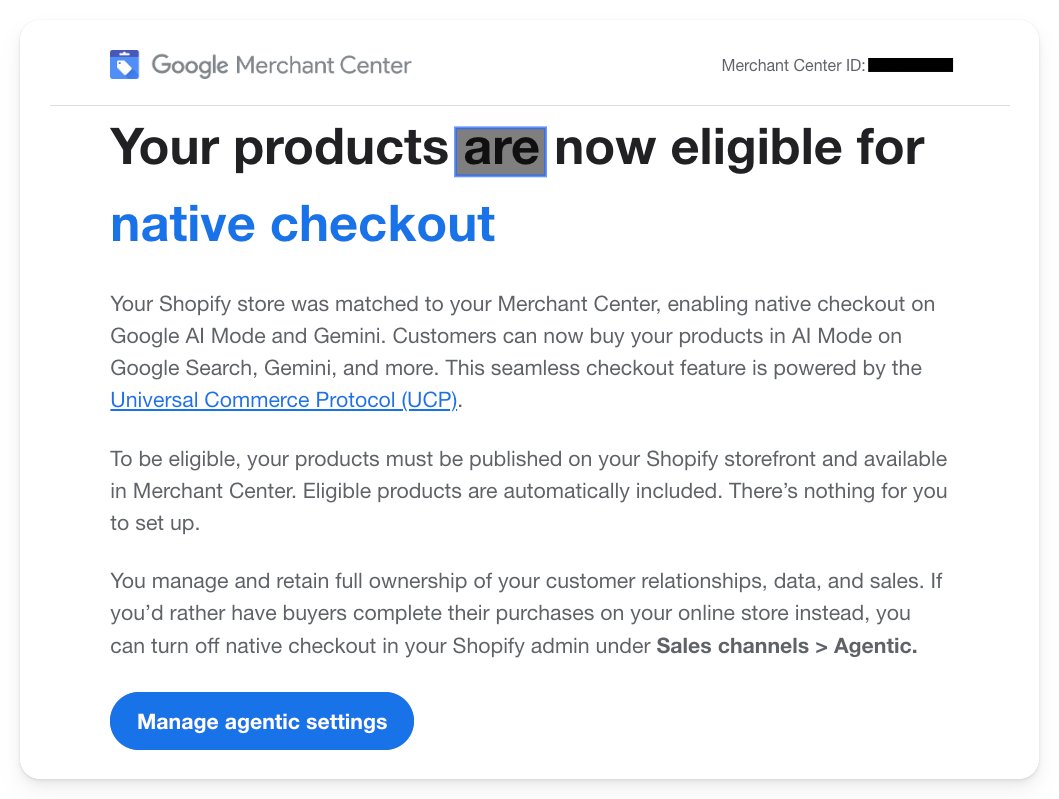
Google’s native checkout now lets shoppers purchase directly within AI Mode and Gemini, keeping the transaction inside Google while still showcasing your brand. The feature auto‑enables for merchants using the Universal Commerce Protocol and can be turned off in Merchant Center. Understanding when to keep it on or opt out helps you balance visibility with control over the customer journey.
Key Highlights
- ✓Automatic native checkout for UCP‑enabled merchants
- ✓Buy directly in Google’s AI Mode and Gemini
- ✓Seamless Google Pay integration
- ✓Option to disable and keep traffic on your own site
What Happened
Google announced that it will automatically enable native checkout for merchants whose e‑commerce platforms support the Universal Commerce Protocol (UCP). Eligible products are now displayed in Google Search’s AI Mode and Gemini, allowing shoppers to complete purchases on Google using Google Pay.
Key Details
- Automatic inclusion – If your store supports UCP, Google adds your products to native checkout without any manual setup.
- AI Mode & Gemini – The checkout appears in Google’s new AI‑powered search experiences, letting users buy while they browse.
- Google Pay integration – Payments flow through Google Pay, offering a familiar and secure checkout experience.
- Opt‑out option – Merchants who prefer visitors to stay on their own site can disable native checkout in the Merchant Center settings.
What It Means For Your Business
1. Higher conversion potential – Removing friction and keeping shoppers inside Google raises the chance of a sale.
2. Brand visibility – Even though the purchase happens on Google, your product data, images, and price stay front‑and‑center, reinforcing brand recognition.
3. Data insights – Google supplies performance metrics for native checkout, helping you identify which products drive the most sales.
4. Control over the customer journey – If post‑purchase engagement on your own site matters, simply turn off the feature to keep traffic flowing to your checkout.
How to Turn It Off
1. Log into Google Merchant Center.
2. Navigate to Products > Native Checkout.
3. Toggle the switch to Off.
When to Keep It On
- You have a high‑conversion product catalog and want to capture impulse buys.
- Your Google Pay integration is robust and offers a superior checkout experience.
- You’re targeting mobile shoppers who value speed.
When to Turn It Off
- You rely on personalized upsells or cross‑sell flows on your own site.
- Your brand requires post‑purchase email marketing or loyalty programs that start once the visitor lands on your domain.
- You’re concerned about data privacy or want to keep customer data within your own systems.
Bottom Line
Google’s native checkout in AI Mode and Gemini is a powerful tool that can boost sales while keeping your brand front‑and‑center in search results. By weighing the pros and cons—and knowing how to enable or disable the feature—you can tailor the experience to match your business goals and customer expectations.
---
Stay ahead of the curve by keeping your product listings optimized, ensuring UCP compatibility, and monitoring performance in the Merchant Center dashboard.
Why This Matters For Your Business
For businesses that want to be discovered by AI‑driven search tools such as ChatGPT, Perplexity, Gemini, and Google AI, native checkout places your products directly in the answer pane. This prominent placement lifts visibility and click‑through rates because shoppers can complete a purchase without leaving the AI response. AI assistants frequently pull product data from Google’s structured feeds; when a direct purchase path is available, the friction that usually deters a conversion disappears. The result is a higher likelihood that an inquiry turns into a sale, especially for impulse‑driven or mobile purchases. At the same time, merchants retain the option to opt out, preserving the ability to guide customers to their own site for personalized upsells, loyalty programs, or data‑privacy reasons. Balancing the instant visibility of native checkout with the strategic control of your own checkout flow is essential for maximizing ROI in today’s AI‑search ecosystem.
Frequently Asked Questions
How do I enable native checkout for my store?
If your e‑commerce platform supports UCP, Google automatically adds your products to native checkout. Verify activation by checking the Native Checkout tab in Merchant Center.
Will my brand still appear in the checkout flow?
Yes. Product images, titles, prices, and brand information are displayed before the buyer completes payment through Google Pay.
What if I want shoppers to buy on my site instead?
Simply toggle the Native Checkout setting off in Merchant Center. Your products remain listed, but customers will be directed to your own checkout page.
Is your business showing up in AI search?
Get your free AI visibility audit - see if ChatGPT, Perplexity, and Google AI actually recommend you.