
Home / News / Google Adds CrUX Ad Metrics to Page Experience – Impact for Small Biz
Google Adds CrUX Ad Metrics to Page Experience – Impact for Small Biz
Google has added experimental CrUX ad metrics to its Page Experience documentation, giving businesses a way to measure how ads affect real‑user experience. Although the metrics are not a ranking factor yet, they can help improve Core Web Vitals and boost visibility in AI‑driven search tools.
Key Highlights
- ✓Google adds experimental CrUX ad metrics to Page Experience docs
- ✓Metrics include ad count, ad density, and ad weight
- ✓Data comes from real‑user Chrome performance reports
- ✓Optimizing these metrics can improve Core Web Vitals and AI visibility
What Happened
On September 22, 2026, Google refreshed its Page Experience help document to reference the newly‑released CrUX (Chrome User Experience Report) ad metrics. Google clarified that these metrics remain experimental and are not a direct ranking signal, yet they now appear in the Page experience resources section as a tool for understanding real‑user ad experiences.
The added line reads:
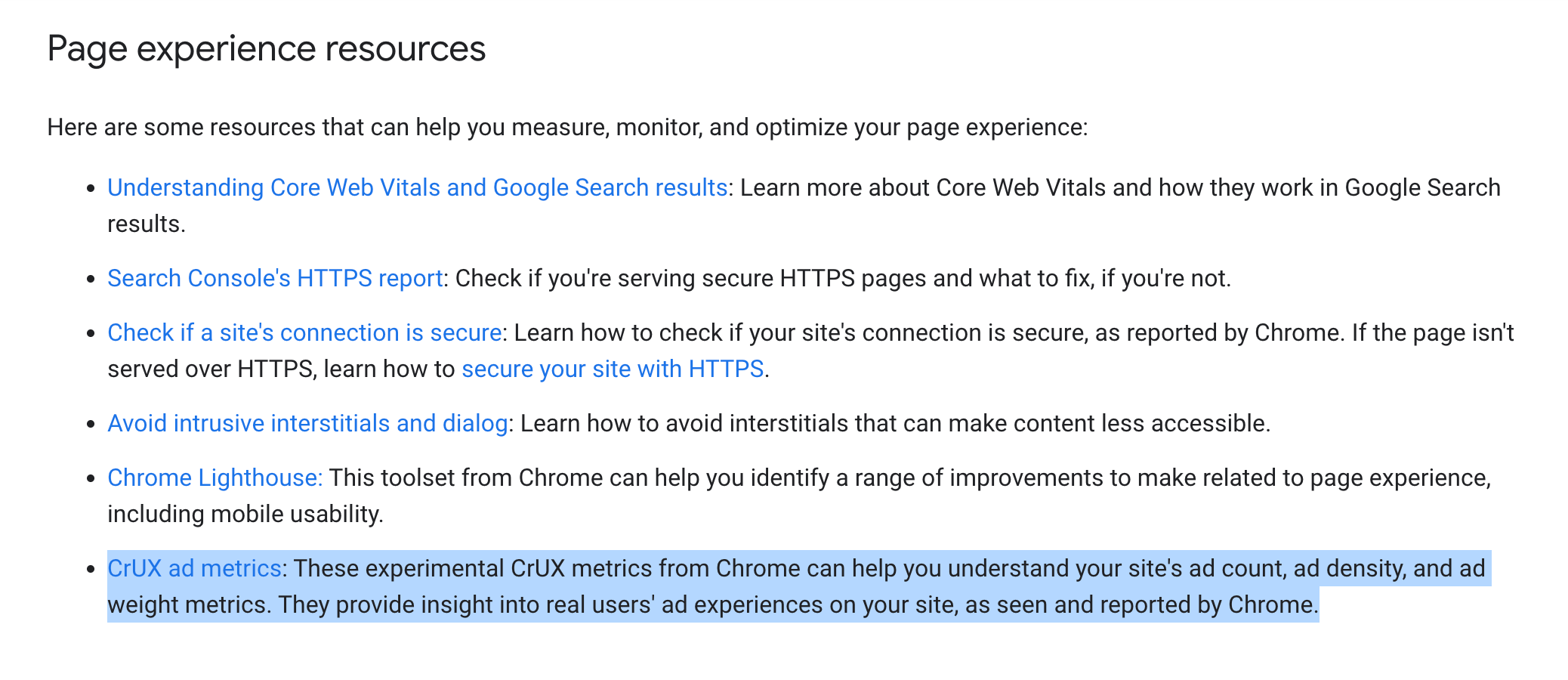
> CrUX ad metrics: These experimental CrUX metrics from Chrome can help you understand your site's ad count, ad density, and ad weight metrics. They provide insight into real users' ad experiences on your site, as seen and reported by Chrome.
This update signals Google’s growing interest in how ads affect page‑load speed, layout stability, and overall user satisfaction—factors that already influence Core Web Vitals and, indirectly, search rankings.
Key Details
- Metrics Introduced: Ad count, ad density, and ad weight – all measured from real Chrome users.
- Data Source: Chrome User Experience Report (CrUX), which aggregates anonymized performance data from millions of users worldwide.
- Status: Experimental – Google has not confirmed they will become a ranking factor, but the metrics are available for analysis today.
- Location in Docs: Added to the Page experience resources section of the official Google Search documentation.
- Relevance to AI: AI‑driven search assistants (ChatGPT, Perplexity, Gemini, Google AI Overviews) increasingly pull data from Google’s SERP signals. Understanding ad experience can help you appear in those AI answers.
What It Means For Your Business
1. Better Insight Into Ad‑Related User Friction
If your site relies on display ads for revenue, the new metrics let you see how many ads users actually encounter, how crowded a page feels, and how much visual weight the ads carry. High ad density can slow page load, cause layout shifts, and increase bounce rates – all of which hurt the user experience Google cares about.
2. A New Lever for SEO & AI Visibility
Even though the metrics are labeled experimental, they sit alongside Core Web Vitals, which are known ranking factors. Optimizing ad experience can improve those core signals and, by extension, make your site more attractive to AI‑driven search tools that surface concise answers and local business citations.
3. Competitive Advantage for Small & Local Brands
Many small businesses focus on content and backlinks but overlook ad placement. By auditing ad count, density, and weight, you can differentiate yourself from competitors whose pages feel cluttered, thereby earning higher click‑through rates from both human users and AI assistants.
How to Use CrUX Ad Metrics Today
1. Access the Data
- Visit the Chrome User Experience Report dashboard (https://developer.chrome.com/crux).
- Filter by your domain and select the Ad metrics tab.
2. Interpret the Numbers
- Ad Count: Total number of ad elements per page view. Aim for a count that balances revenue with speed.
- Ad Density: Ratio of ad pixels to total page pixels. Lower density usually means fewer layout shifts.
- Ad Weight: Estimated impact on load time (in milliseconds). High weight indicates heavy, slow‑loading ads.
3. Take Action
- Consolidate ad slots – Reduce duplicate ad units.
- Lazy‑load non‑critical ads – Defer loading until the user scrolls.
- Choose lightweight ad formats – Prefer static images over heavy video ads.
- Test with Google PageSpeed Insights – Verify that ad improvements reflect in Core Web Vitals scores.
4. Monitor Over Time
- Set a monthly review cadence.
- Track changes alongside Core Web Vitals and organic traffic.
- Adjust ad strategy based on performance trends.
Quick Checklist for Small Business Owners
- [ ] Review CrUX ad metrics for your top‑performing pages.
- [ ] Identify pages with high ad density or weight.
- [ ] Implement lazy‑loading or ad‑blocker friendly formats.
- [ ] Re‑run PageSpeed Insights to confirm improved scores.
- [ ] Update your VisibilityAI profile with the latest performance data to boost AI citation accuracy.
Why VisibilityAI Cares
VisibilityAI helps local businesses get discovered by AI assistants that pull from Google’s SERP data. When Google starts factoring ad experience into the broader page‑experience ecosystem, those AI tools will weigh that data when generating answers. By proactively optimizing CrUX ad metrics, you give VisibilityAI the clean, fast‑loading signals it needs to surface your business in AI‑driven search results, voice queries, and local citations.
Conclusion
Google’s addition of CrUX ad metrics to the Page Experience documentation is a subtle but important shift. It tells marketers that ad‑related user experience is now part of the conversation around SEO, Core Web Vitals, and AI visibility. Small businesses that act now—by auditing ad count, density, and weight—can improve site speed, reduce bounce rates, and position themselves for better placement in both traditional SERPs and the emerging AI‑first search landscape.
Why This Matters For Your Business
For businesses that depend on online discovery, user experience directly influences rankings, click‑through rates, and AI citation. The new CrUX ad metrics provide concrete, data‑driven insight into how ads affect page‑load speed and layout stability—two core pillars of Google’s Page Experience. Reducing ad clutter and weight not only keeps visitors satisfied but also sends a clear signal to Google’s AI‑driven search assistants that the site delivers a high‑quality experience. That signal translates into stronger visibility in tools such as ChatGPT, Perplexity, Gemini, and Google AI Overviews, which increasingly rely on Google’s SERP data when answering user queries. VisibilityAI leverages the same signals to place your business in AI‑generated local results and citations. When you improve your CrUX ad metrics, you supply VisibilityAI with cleaner data, boosting the likelihood that your storefront appears in AI‑powered recommendations, voice searches, and conversational answers. In short, a better ad experience drives more AI‑derived traffic and more customers through your digital door.
Frequently Asked Questions
Are CrUX ad metrics a confirmed ranking factor?
Google says they are experimental and not officially a ranking signal yet, but they influence Core Web Vitals, which do affect rankings.
How can I access my site’s CrUX ad metrics?
Use the Chrome User Experience Report dashboard or the BigQuery public dataset. Filter by your domain and select the Ad Metrics view.
Will fixing ad metrics improve my AI search visibility?
Yes. Better ad experience improves page speed and stability, which AI assistants consider when pulling data from Google’s SERPs for answers and citations.
Is your business showing up in AI search?
Get your free AI visibility audit - see if ChatGPT, Perplexity, and Google AI actually recommend you.